Dashy
- Source: https://github.com/Lissy93/dashy
- License: MIT
- Alternatives: Homepage, Heimdall, Homarr, Organizr
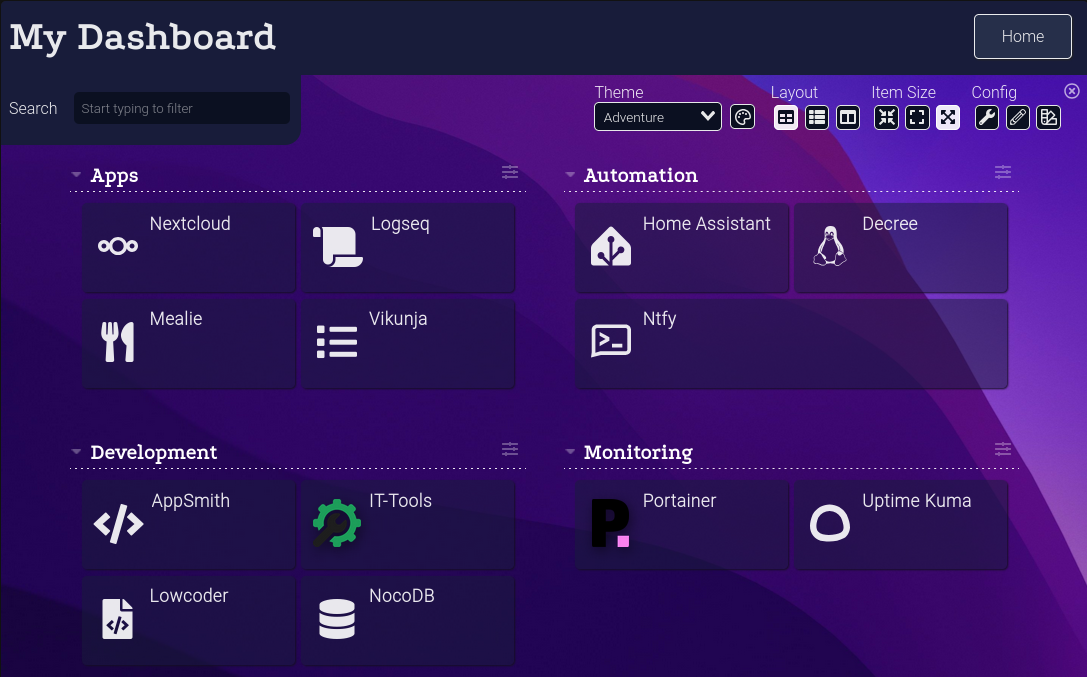
Setup
Enable it in .env.shared and run the setup script — .env and dashy-conf.yml are
rendered from their *.exist.* templates automatically:
EXIST_IS_SERVICES_DASHY=true    # in .env.shared
./existential.sh && docker compose up -d
Three files, one of them yours
Dashy's config is the one place the stack bakes your domain into a file rather than passing
it as an environment variable — Dashy reads a static conf.yml and does no variable
substitution of its own. So that the baked value can never go stale, dashy-conf.yml is
regenerated on every ./existential.sh run. Change EXIST_DOMAIN and every tile
follows on the next run; nothing to remember.
| File | Tracked? | Role |
|---|---|---|
dashy-conf.exist.yml | yes | The template. Which services appear, in what sections. |
dashy-conf.yml | no | Generated, and overwritten every run — until you claim it. |
Claiming the file
Want it your way? Open services/dashy/dashy-conf.yml and change one line in the header:
# EXIST_KEEP: false → # EXIST_KEEP: true
That's it. The file is now yours: ./existential.sh will never overwrite it again. Edit it
freely. (./existential.sh reset would archive it along with everything else rendered, but
it moves the file rather than destroying it.)
The trade-off is the one you'd expect — a claimed file stops tracking EXIST_DOMAIN, and
new services won't add themselves to your dashboard. You're maintaining it by hand from
then on. To hand it back, set EXIST_KEEP: false (or delete the file) and the next run
regenerates it from the template.
To change what ships by default for everyone, edit dashy-conf.exist.yml instead — slugs
there must match a reverse_proxy backend in hosting/caddy/Caddyfile.exist.Caddyfile,
which ./existential.sh validate enforces.
Editing from the Dashy UI
Dashy's built-in config editor can normally write conf.yml back to disk. That is
disabled here (appConfig.preventWriteToDisk, plus a read-only mount): the file is
regenerated every run, so anything saved that way would vanish without warning. Claim the
file with EXIST_KEEP: true if you want durable edits. Per-browser local saves still work
for temporary tweaks.
What's on the dashboard, and what isn't
The shipped template lists the CORE stack (src/quests/00-core.md) only. A few core
services are deliberately absent:
- No HTTP endpoint of their own: honcho (internal API only), wyoming-whisper and wyoming-piper (reached by Home Assistant over the Wyoming protocol), loki (Grafana is the window onto it), decree (the background daemon has no UI), and caddy itself.
- Has an endpoint, but nothing a tile can show:
automation-webhookis a POST-only, bearer-authed inbox receiver with no GET route worth linking. - Firecrawl does get a tile, but its active block points at the docs page rather than
firecrawl.<domain>— Caddy 401s every request there withoutAuthorization: Bearer $CADDY_FIRECRAWL_API_KEY, which a dashboard tile can't supply, so a live/statusCheck block would just read permanently down.
Health & resources
user:— the image shipsUSER node(uid/gid 1000) already, so it's not an s6/root-then-drop image; plainuser: "${EXIST_PUID:-1000}:${EXIST_PGID:-1000}"is the right mechanism, and the app tolerates an arbitrary uid fine (verified by running the image as1234:1234: it starts, validates the config, and serves) since the only write path (appConfig.preventWriteToDisk+ the:romount) is already closed off.- Healthcheck hits
/conf.yml— the exact file the container has mounted — rather than the image's baked/healthz, which is a hardcoded200registered before any config or static-file logic runs and so can't detect a broken mount. Confirmed againstlissy93/dashy:4.5.0: withconf.ymlunreadable to the container's uid (permission drift, a bad:ZSELinux label),/healthzand/both kept answering200while the dashboard silently had no tiles./conf.yml404s in that case instead. Also uses127.0.0.1, notlocalhost— this image binds0.0.0.0(IPv4 only), andwgetresolves barelocalhostto::1first and gets refused. - Memory — ~45 MiB idle, measured with
docker statsagainst a running container (no browser attached). The 128M limit leaves roughly 2.8x headroom; status-check requests run server-side in the same process but are small proxied HTTP calls — 15 of them in parallel moved memory by under 1 MiB.